Mini DVD
8 cm rewritable DVD

1.4 GB of pocket-sized Slax. Boot from a compatible DVD drive, then erase and reuse the disc for future releases.
$32USD



Your own desktop, apps and files, all on a USB drive. Plug it into another PC, start Slax, and feel at home. There’s no installation to get in the way.
A complete Linux system in just 512 MiB. Small enough for your keychain, useful enough for real work.
See what makes Slax differentMeet Slax 2026.11

Keep your files and apps. Start fresh when you want. Make Slax your own.

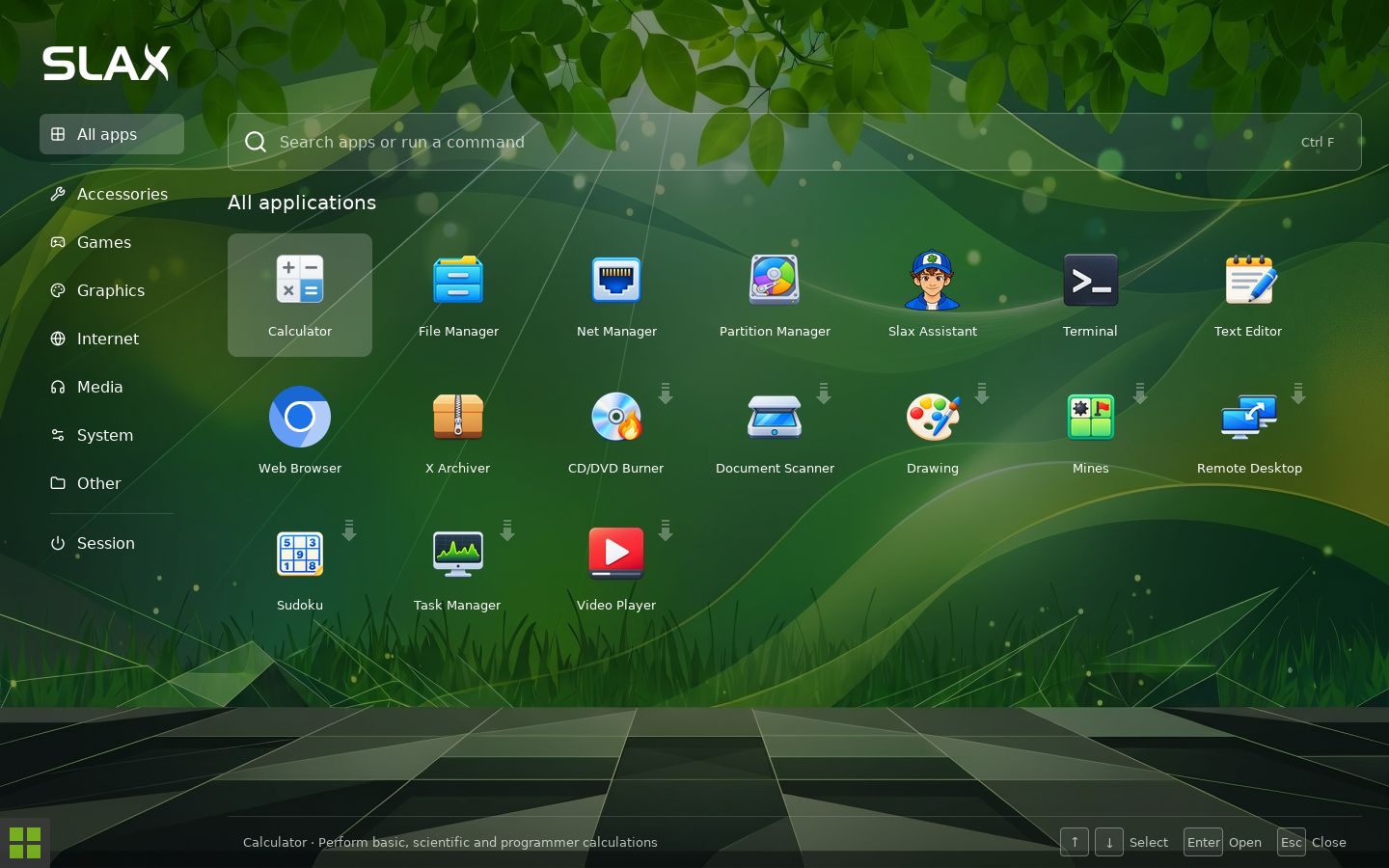
Browse the web, work with your files, write a little something. Slax has the everyday tools ready when you arrive.
Want a video player, a drawing app or something else? Open the launcher and choose an app. Slax downloads what it needs, installs it and opens it for you. You can use apt, too.

Linux is a lovely place to explore. And sometimes it’s nice to have someone to ask. Slax Assistant is there when you want a hand with your next task.
Open it from the launcher and tell it what you’d like to do. It uses the online Slax service, so you’ll need an internet connection. You stay in charge of the changes you choose to make.
Meet Slax Assistant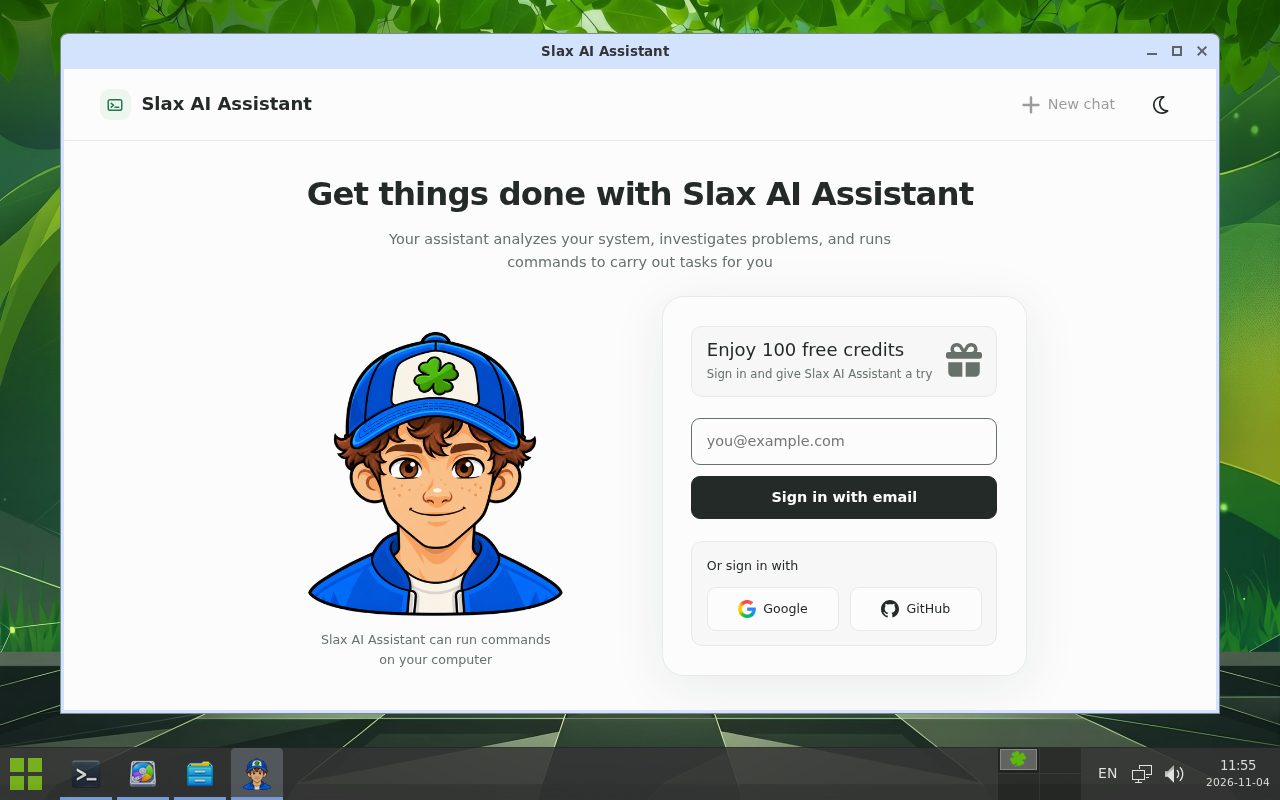

A browser here, your notes over there, a project on another desktop. Four workspaces give everything a place without making the desktop complicated.
Press Alt + F3 to see the whole picture. Use Alt + Tab to move between windows, or hover over an app in the panel to see what’s open.
Make yourself comfortable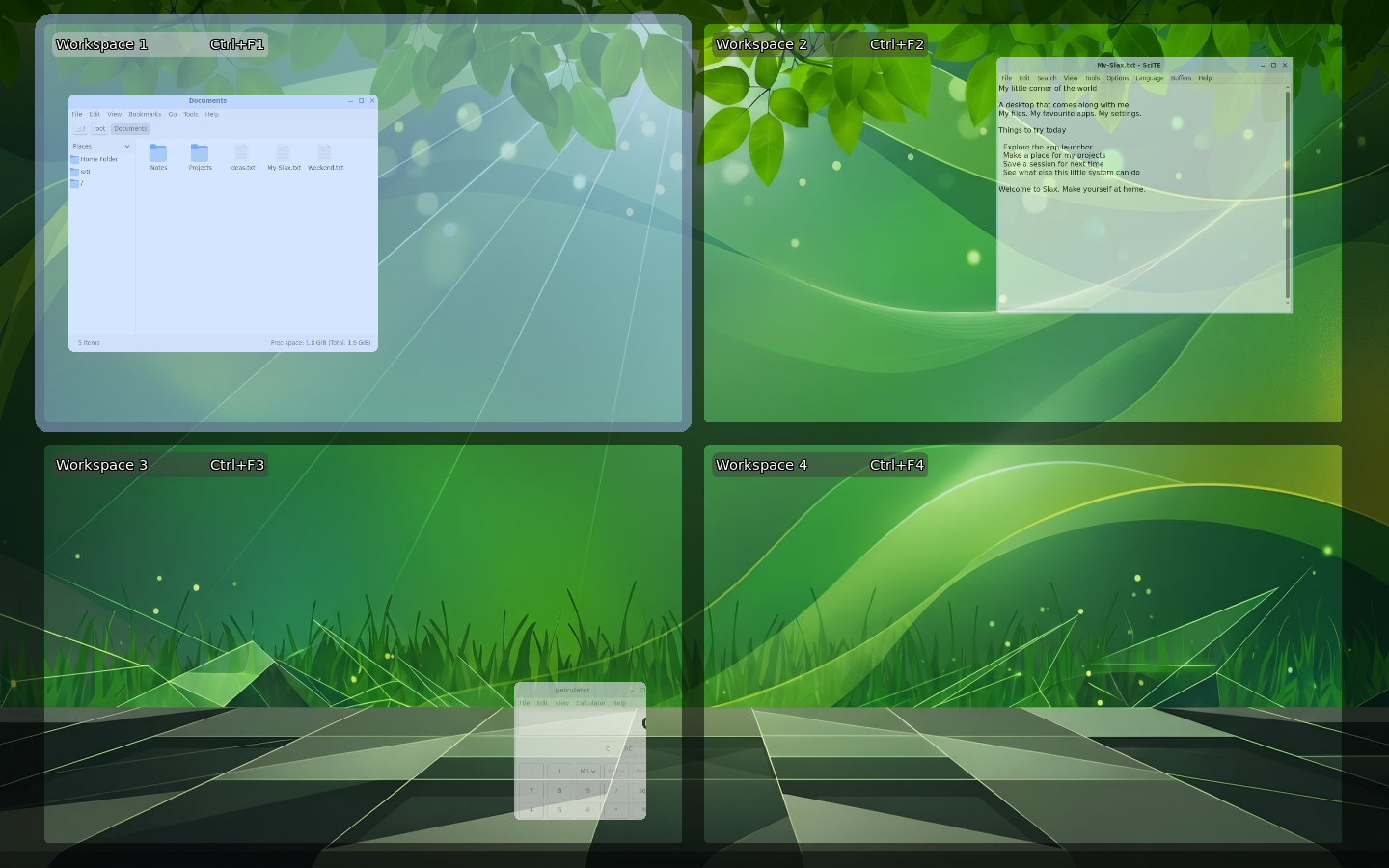
Partition Manager makes working with disks straightforward. See how a drive is laid out, manage its partitions, and prepare space for what comes next.
It’s included in Slax and ready to use offline. Handy when you’re preparing a USB drive, taking a look at another disk, or simply trying to understand where all the space went.
Explore Partition Manager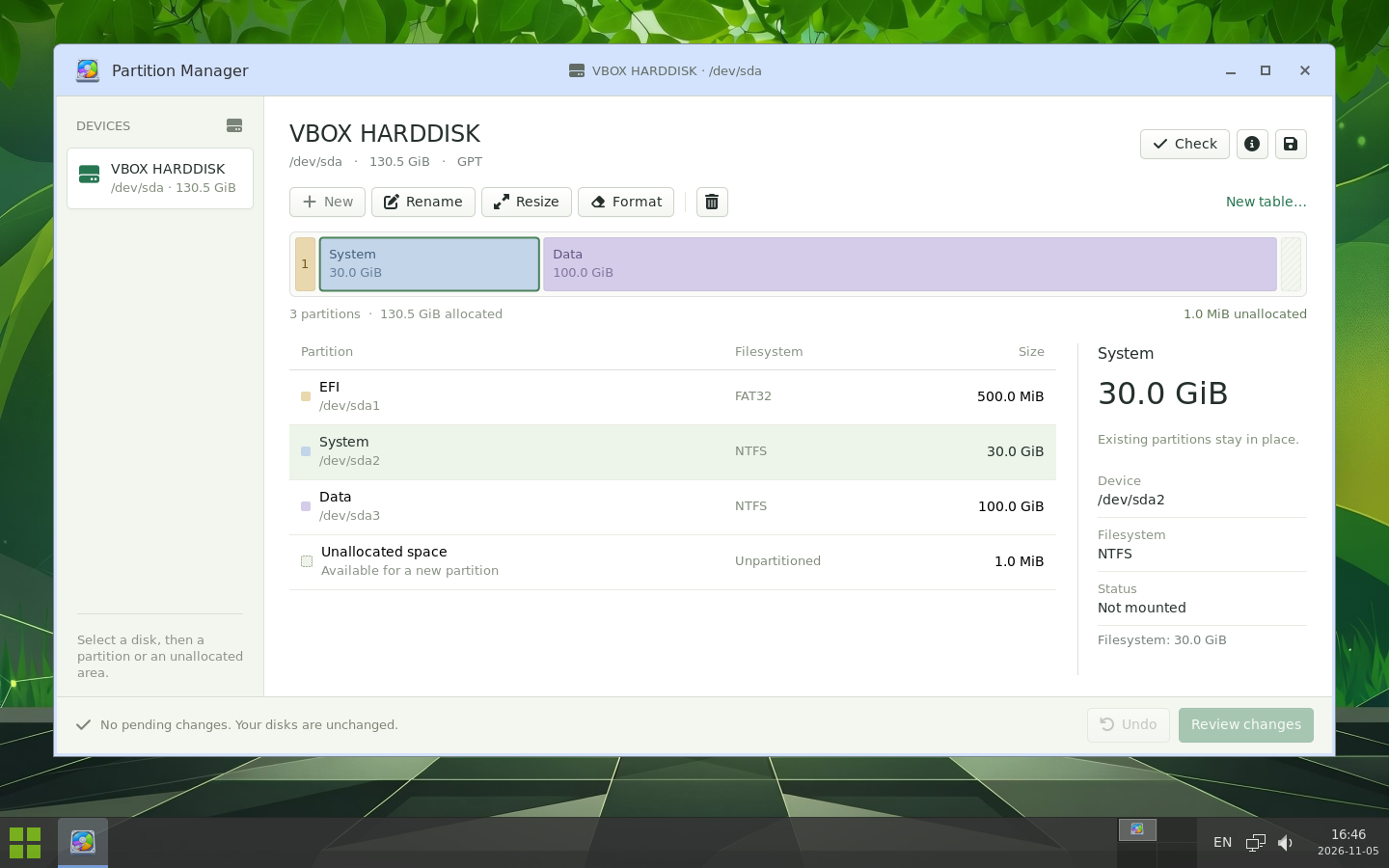

Take Slax with you on a USB drive, or give it a home alongside your existing operating system. On supported setups, your files stay in place and you can choose which system to start at boot.
The graphical installer runs on Windows and Linux. It shows you the available drives and lets you review the installation plan before making changes.
See how to install Slax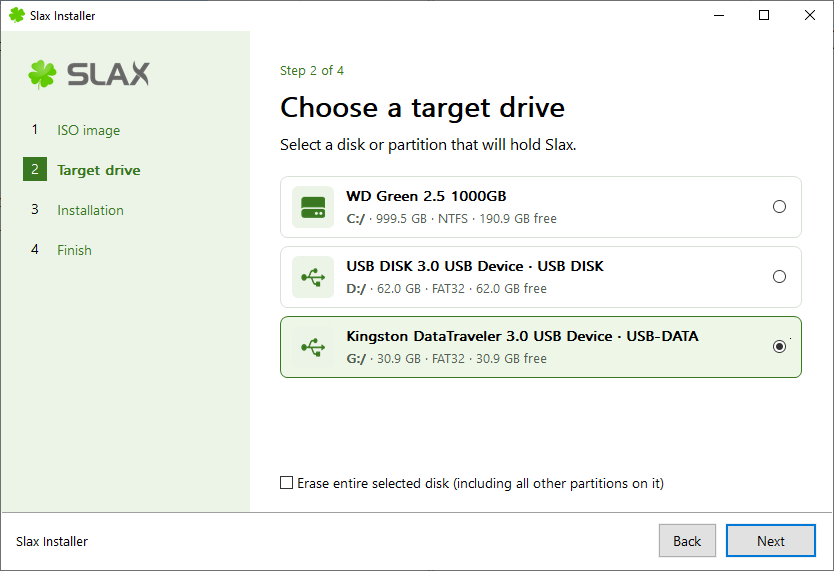
Slax can remember your files, your settings and that app you just installed. Start again tomorrow and pick up where you left off, even on a different computer.
Keep a session for everyday use and another for trying things out. Give them names, choose one at startup, or duplicate a session before an experiment. Your familiar setup can stay just the way you like it.
How saved sessions work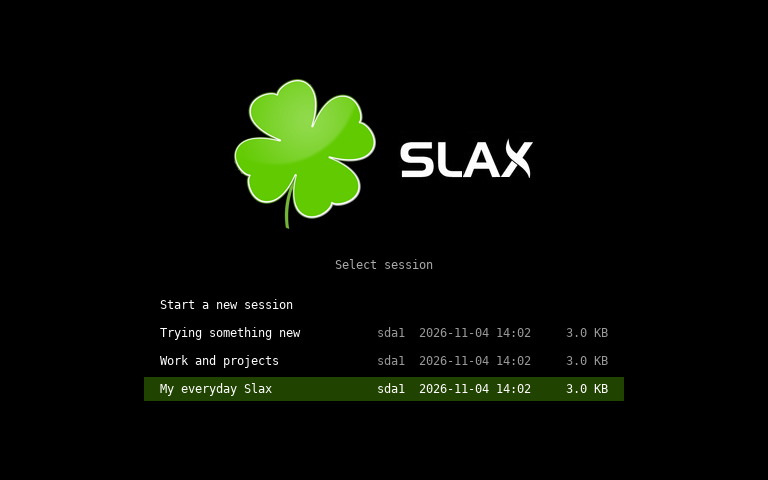
Choose the device you would like to order. Sales made on this website help fund the project, so your purchase is greatly appreciated and will help me release more versions in the future. Order now and get free international shipping. Thank you!
8 cm rewritable DVD
1.4 GB of pocket-sized Slax. Boot from a compatible DVD drive, then erase and reuse the disc for future releases.
$32USD
64 GB USB flash drive
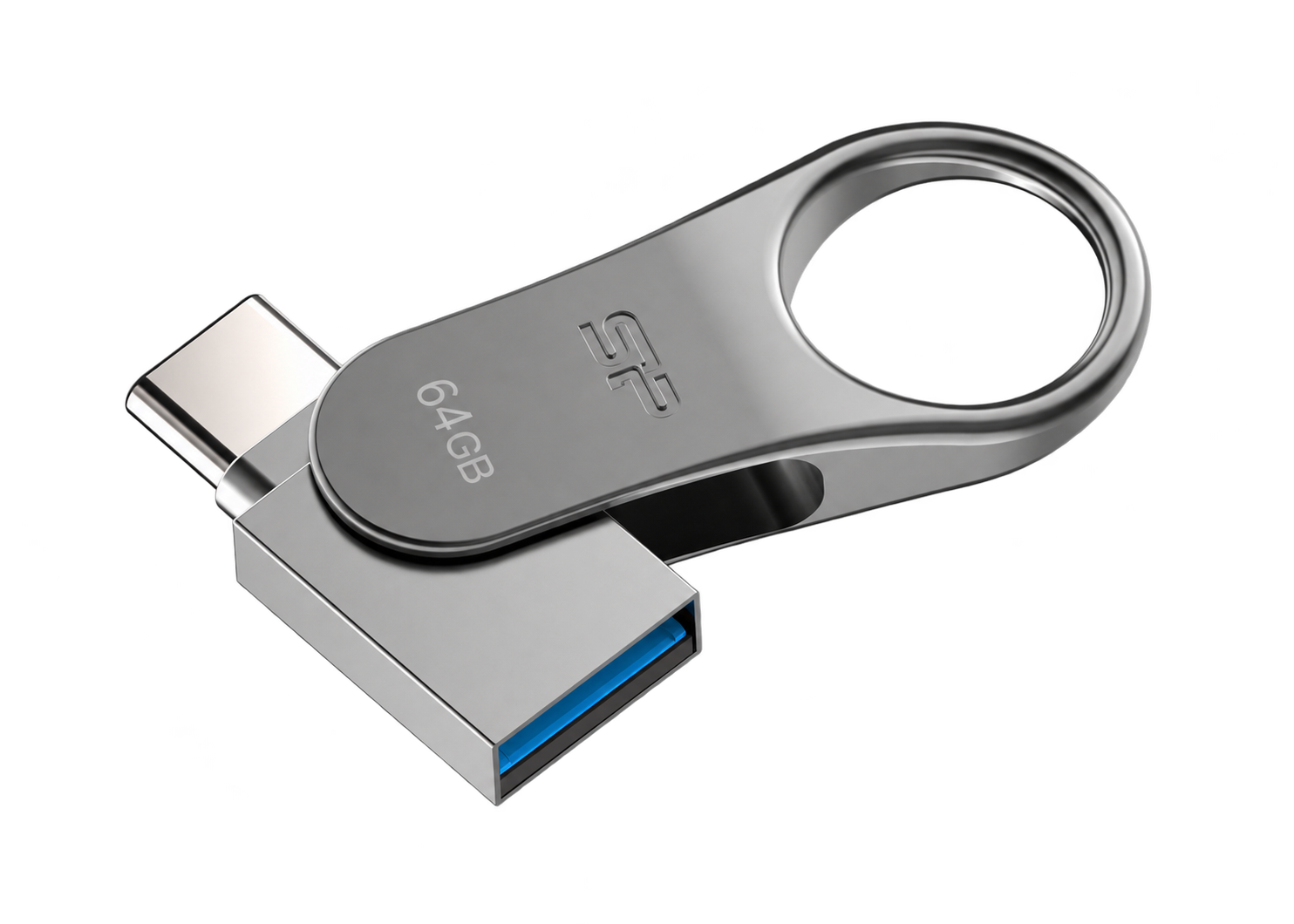
Your Slax on a metal keychain drive. The swivel design has both USB-A and USB-C connectors, with room for your files, apps and saved sessions.
$64USD
64 GB · hardware encryption
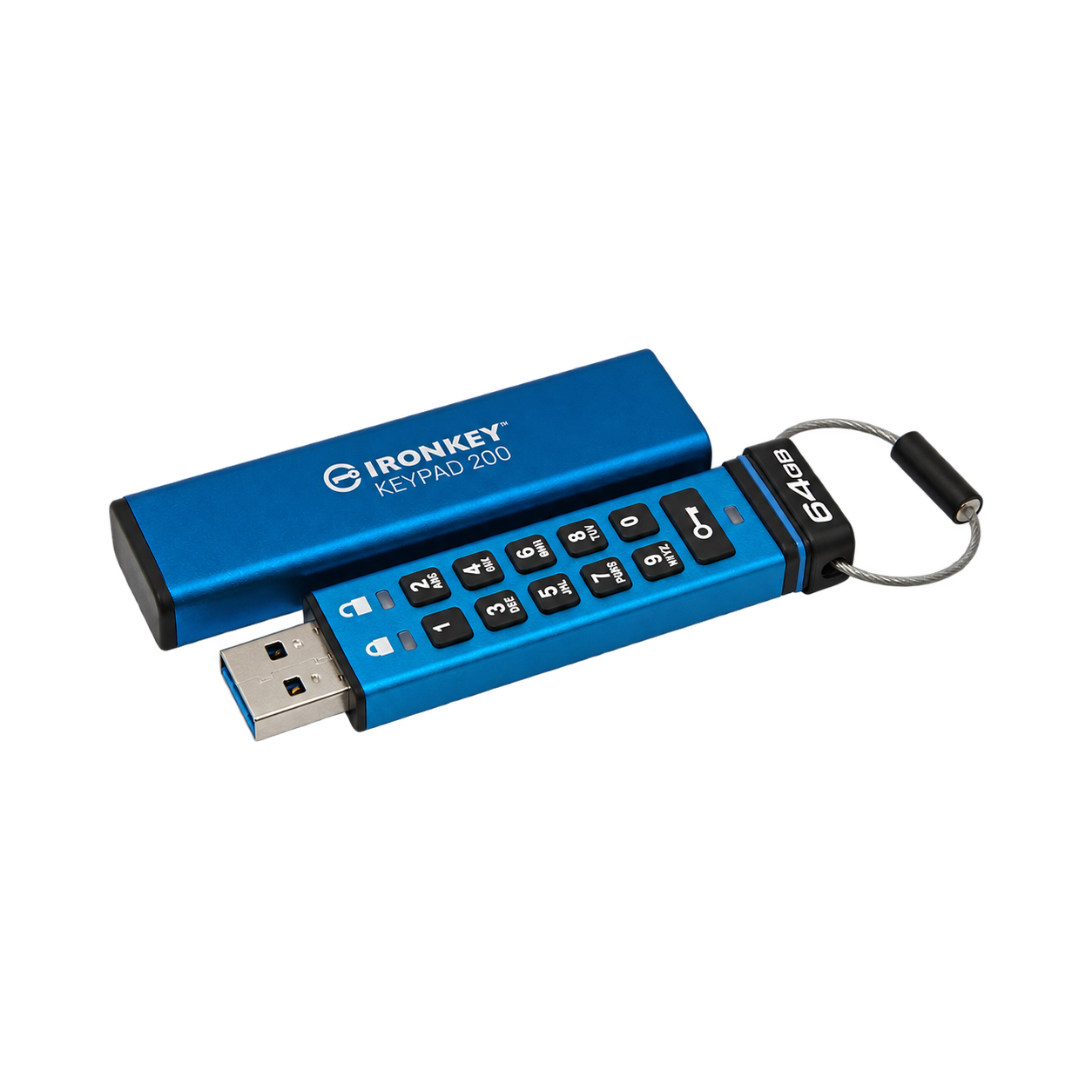
Slax preinstalled on a 64 GB IronKey. Unlock it with the built-in keypad. XTS-AES 256-bit hardware encryption protects your files without extra encryption software.
$256USD
Orders are paid securely through PayPal. Shipping is included in every price.


Enter your email address and the download link will be sent to it